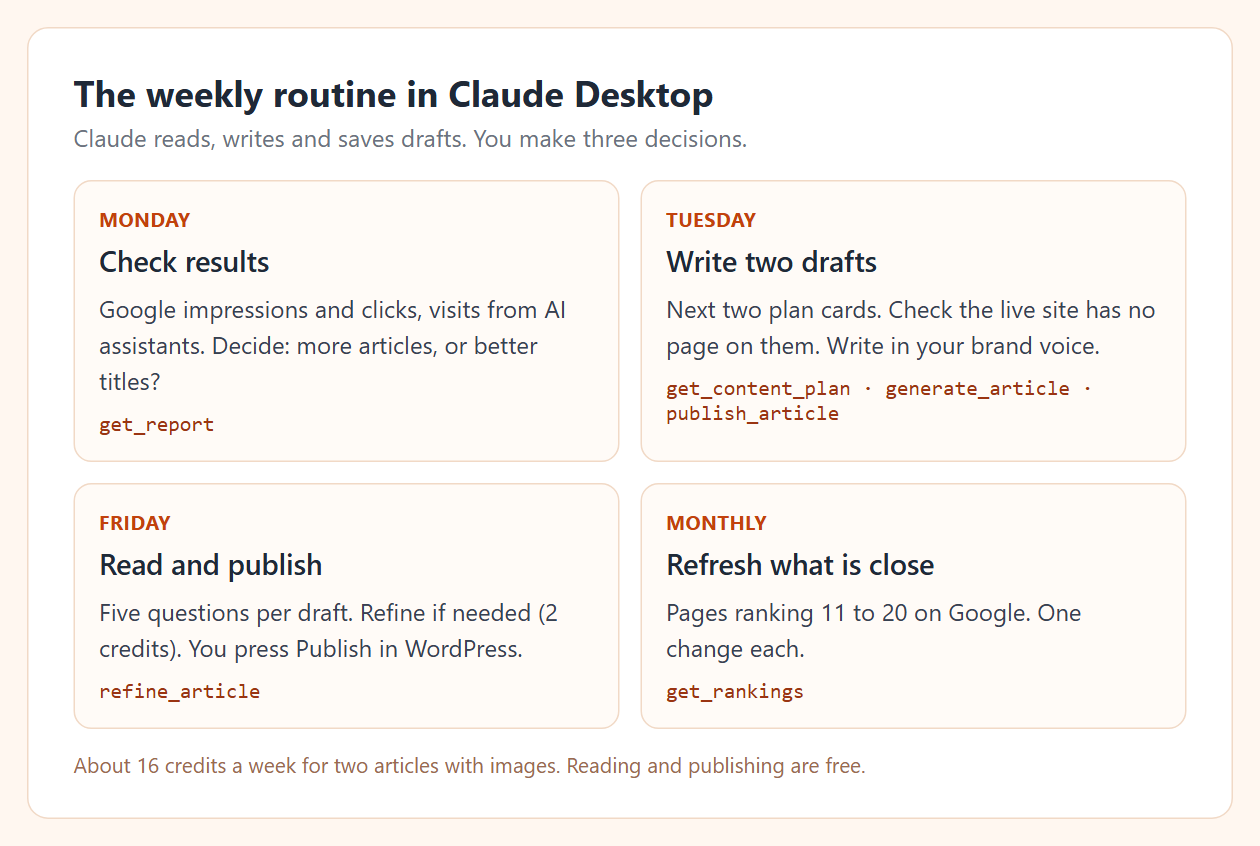
Use Claude Desktop as your content assistant, connected to the tools that hold your data and your website. Then repeat one routine each week: Monday, check what last month's articles did; Tuesday, pick two topics and write drafts; Friday, read the drafts and publish. Claude does the reading, writing and publishing steps. You make the three decisions: which topics, whether a draft is good, and when it goes live.
By Yaniv Mizrahi, founder of TalkGenAI. The numbers below are our own site, 4MeNearMe.com, read through Claude on 10 October 2026.
What do I need to set up?
- Claude Desktop on Mac or Windows.
- A free TalkGenAI account with your WordPress site connected (Connect WordPress).
- An agent key, pasted once into Claude Desktop's settings file. The exact text to paste is in Connect Claude Desktop. Claude Desktop needs Node.js installed for this step.
After a restart, ask Claude "Check my TalkGenAI credits." If it answers with a number, you are connected.
Monday: what did last month's content do?
Ask:
How did my articles do in the last 30 days? Show Google impressions and clicks, and any visits from AI assistants.
Claude calls get_report (performance and ai_traffic). On our site the answer was sobering:
performance, last 30 days: 109 Google impressions, 0 clicks,
10 articles, impressions down 34% on the previous period
ai_traffic, September: 122 visits from ChatGPT, 114 of them to one tool page
That is useful. The articles are being shown but not clicked, so the next step is better titles and answers in the opening lines, not more articles. The visits from ChatGPT went to a tool page, not to an article; our LLM SEO guide looks at why.
Tuesday: which two topics, and write the drafts
Ask:
Show my next open content plan cards. For the top two, check my live site has no page on them yet, then write both as drafts in my brand voice with a hero image.
Claude reads the plan (get_content_plan), writes each article (generate_article, 8 credits with an image) and saves them to WordPress (publish_article). The "check my live site" part matters: one of our drafts duplicated an older page because nobody checked. The SEO automation guide has that story.
No plan yet? Create one in the dashboard, or ask Claude to create it (20 credits; Claude is told to ask you first).
Friday: read and publish
Open the drafts in WordPress. Read each one with five questions: is the topic new for my site, do links point where the text says, are the facts right, does the opening answer the question, is the image right. The checklist is explained in the SEO blog writer guide.
Need a change? Ask Claude: "Refine the pet groomer article: add a short section on HOA requirements." A refine costs 2 credits and keeps your voice. Then publish in WordPress yourself.
Once a month: refresh what is close
Ask:
Which of my pages rank between 11 and 20 on Google? Suggest one change each.
Pages on page 2 are the closest to real traffic. Claude reads get_rankings (Growth plan and above) and can refine the article and push it to the same post.
What does the routine cost?
Two articles a week with images is 16 credits a week, about 64 a month, plus refines at 2 each. Reading reports and publishing are free. Compare that with your plan's monthly credits on Credits and plans.
Should I use Claude Desktop or Claude Code?
The tools are the same. Claude Desktop is a chat window and suits this routine. Claude Code runs in a terminal and suits people who want to script it; see how to use Claude for SEO. For the bigger picture of letting software run this loop, see what an AI SEO agent does.
Try it in 5 minutes
- Get a free agent key: app.talkgen.ai/connect-agent. No card.
- Paste it into Claude Desktop using Connect Claude Desktop.
- Ask Claude: "Read my company brain and tell me in three sentences what you think my business sells. Then suggest this week's two articles."
Last updated: 2026-10-10