A WordPress MCP server lets an AI agent such as Claude or Cursor act on your WordPress site. To publish SEO articles through it, the agent needs more than a "create post" tool: it needs the article itself, a hero image set as the featured image, a meta description and FAQ schema. TalkGenAI's MCP server does both steps. Your agent asks for an article, TalkGenAI writes it in your brand voice, and it lands in WordPress as a draft.
By Yaniv Mizrahi, founder of TalkGenAI. Every tool call below was run on our own WordPress site, 4MeNearMe.com, on 10 October 2026.
What is a WordPress MCP server?
MCP (Model Context Protocol) is the standard way an AI agent discovers and calls tools. A WordPress MCP server exposes your site as tools: read posts, create a post, update settings. Claude Code, Claude Desktop, Cursor and VS Code can all connect to MCP servers.
There are two kinds you will meet:
| Kind | What the agent can do | Who writes the article |
|---|---|---|
| Site-access servers (for example the WordPress MCP Adapter, or WordPress.com's MCP) | Read your content, and with the right abilities, create or change posts | Your agent, from scratch, in the chat |
| A content server (TalkGenAI) | Get a finished article written, then publish it to your site as a draft | TalkGenAI, using your brand voice, plan and settings |
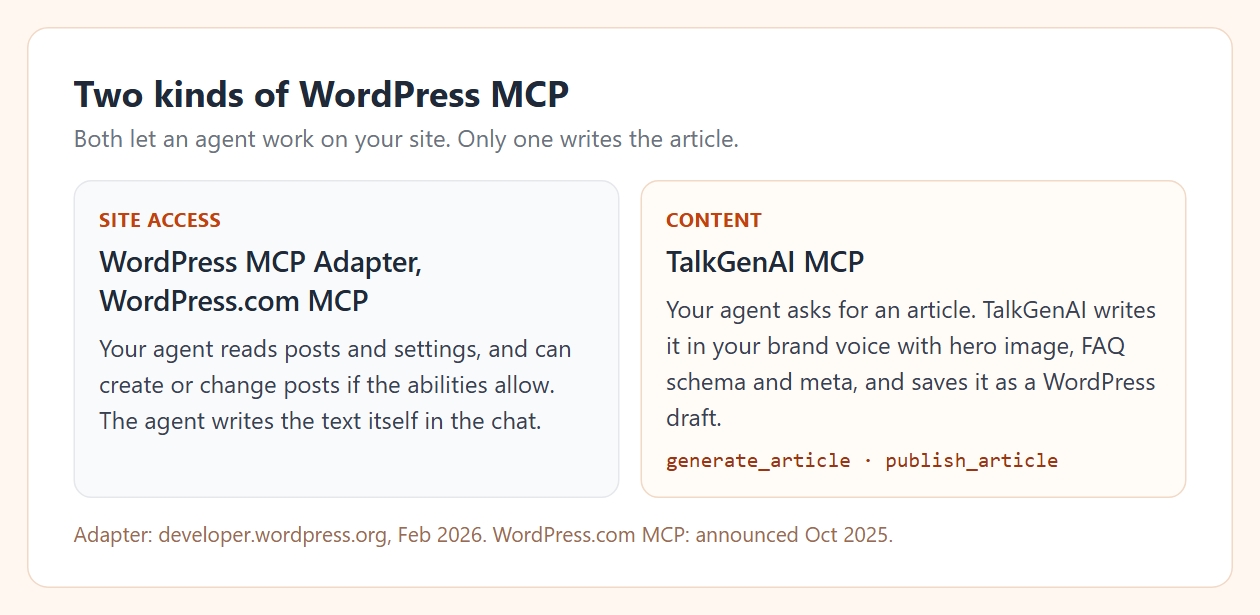
The WordPress MCP Adapter, announced on developer.wordpress.org in February 2026, turns "abilities" that plugins register into MCP tools, so what it can do depends on the plugins you run. WordPress.com's own MCP announcement (October 2025) described read access first, with writing to come. Check their current docs, since both are moving fast.
How do I publish an article to WordPress from Claude?
You need two things: the free TalkGenAI WordPress plugin on your site, and an agent key in Claude. Both are covered step by step in Connect WordPress and Connect Claude Code.
Then give Claude one plain request. Ours was:
Write a medium article on mobile pet groomer insurance for 4MeNearMe.com in the site's brand voice, with a hero image. Save it as a draft and give me the edit link.
Claude made five tool calls on its own:
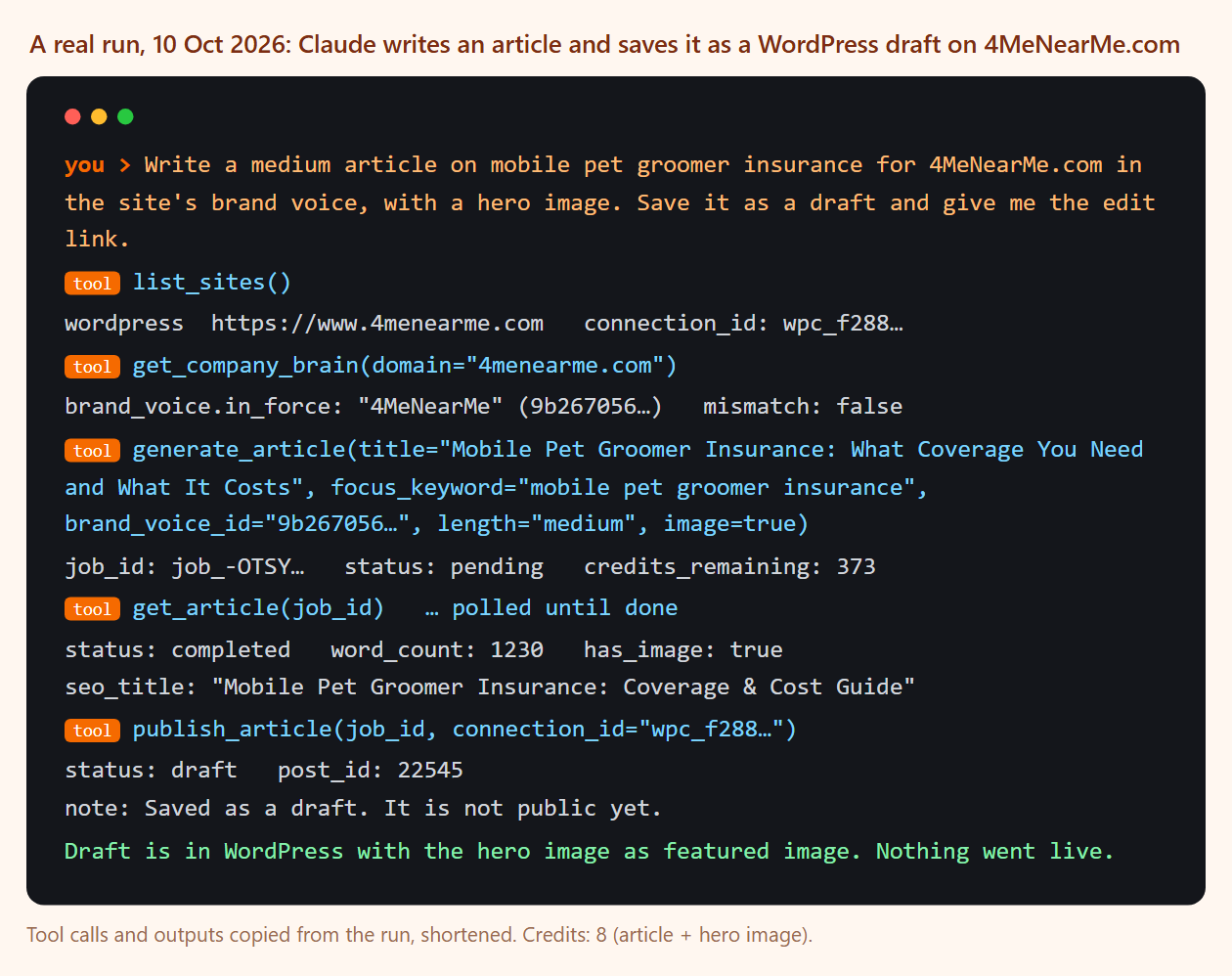
list_sitesfound the WordPress connection for 4MeNearMe.com.get_company_brainreturned the brand voice learned from the site, so the article sounds like the rest of it.generate_articlestarted the article (title, focus keyword, voice, length, image). It cost 8 credits.get_article, polled every few seconds, returned the finished article: 1,230 words, an H2 structure, a comparison table, an FAQ and an SEO title.publish_articlesaved it to WordPress as a draft, with the hero image uploaded as the featured image.
publish_article -> status: draft   post_id: 22545
note: Saved as a draft. It is not public yet.
What lands in WordPress?
A normal WordPress draft you can open in the editor. In our run it had:
- The title and the article body with H2 and H3 headings.
- A comparison table (policy, example loss, cost drivers).
- An FAQ block with FAQ schema.
- The hero image as the featured image.
- One outbound source link, and an SEO title and meta description.
Nothing was visible on the site: the post URL returned 404. It goes public only when someone presses Publish.
How do I keep the agent from publishing live by mistake?
Leave the default. publish_article saves a draft unless the request says status: "publish". A workspace owner can also switch off live publishing for agents completely, and then even an explicit request returns live_publish_disabled. Details are in Publish safely.
We recommend drafts for any unattended run. The next section shows why.
What can go wrong?
These are from our own runs, not hypotheticals.
| What happened | Why | What to do |
|---|---|---|
A new draft got the slug food-truck-insurance-2 |
The site already had a live page on that topic, written before TalkGenAI. The agent could not see it. | Ask the agent to check the live site or the content plan first. Review drafts before publishing. |
| An article said "see this guide" with no link in that sentence | The model placed the requested internal link further down, in the FAQ | Read the draft once. Fix with a refine instruction or in the editor. |
scope_missing |
The agent key was created without the publish scope |
Create a key with the publish scope. See Errors. |
Which other MCP servers fit with this?
A WordPress setup usually needs data before writing. Our comparison of SEO MCP servers groups them by job. If you mostly work in Claude, see how to use Claude for SEO for the research half, and the SEO blog writer guide for doing the same thing from the dashboard without an agent.
Try it in 5 minutes
- Create a free agent key: app.talkgen.ai/connect-agent. No card. Free credits cover about three articles.
- Install the WordPress plugin and connect your site: Connect WordPress.
- Paste this into Claude:
Check my TalkGenAI credits, then write a short article about <a question your customers ask>
for my site in its brand voice. Save it as a draft and give me the edit link.
You will get a draft in your WordPress admin, ready to read.
Last updated: 2026-10-10