Connect Search Console to your agent, then ask it for three patterns: queries where you rank on page 2, specific questions where a general page ranks far down, and pages with many impressions but few clicks. Each pattern has a different fix: refresh the page, write a new focused article, or rewrite the title. With TalkGenAI the agent can then write the fix and save it as a WordPress draft in the same conversation.
By Yaniv Mizrahi, founder of TalkGenAI. The data below is our own site's Search Console (4MeNearMe.com), pulled through the agent on 10 October 2026.
How do I connect Search Console to an AI agent?
There are two routes:
| Route | Setup | What the agent can do |
|---|---|---|
| A standalone Search Console MCP server (for example the open-source mcp-gsc) | Create a Google Cloud project, enable the Search Console API, create an OAuth client or a service account, configure the server locally | Analyse rankings in depth (some servers have dozens of report tools) |
| TalkGenAI | Connect Search Console once in the TalkGenAI dashboard with your Google account, then add the TalkGenAI MCP server to your agent | Read rankings (get_rankings), compare with AI-assistant visits (get_report), write and publish the fix |
If you mainly want deep analysis, a dedicated server is the better fit. If you want to go from a query to a draft on your site, the second route has fewer moving parts. Our SEO MCP servers comparison lists the options by job.
What patterns should the agent look for?
These three came straight out of our own data. get_rankings returned 3,393 queries for 4MeNearMe.com; here is one example of each.
| Pattern | Our example | Numbers | Fix |
|---|---|---|---|
| Page 2 (position 11 to 20) | "reddit advanced search" on our Reddit search tool | position 14.3, 274 impressions, 6 clicks | Refresh the existing page: answer the query in the first lines, add what page 1 results have |
| A specific question, a general page far down | "26-foot box truck insurance cost" on our general box truck page | position 88.4, 32 impressions, 0 clicks | Write a new article that answers exactly that question, linked to the general page |
| Many impressions, few clicks | "pet insurance calculator" | position 6.9, 295 impressions, 2 clicks | Rewrite the title and meta description so the result is worth clicking |
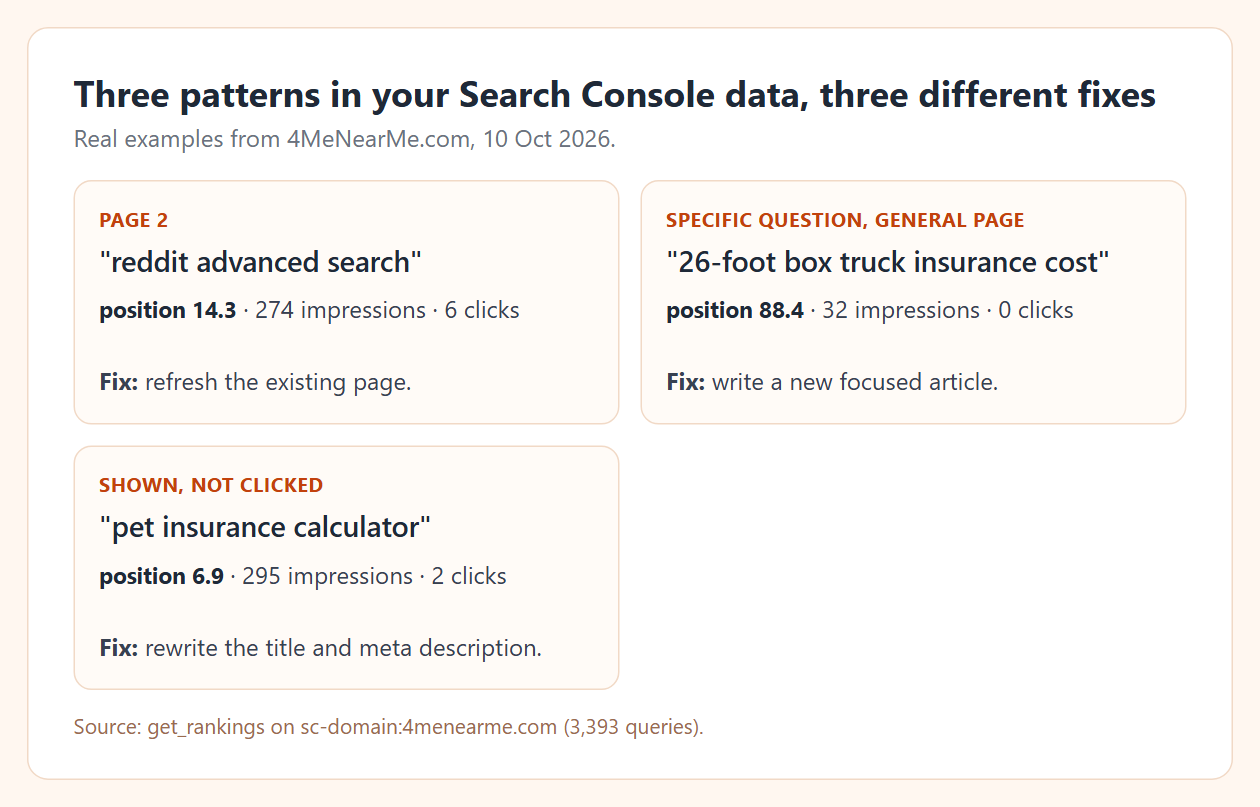
The second pattern is the easiest to automate, because the brief writes itself: one question, and nothing on your site answers it directly.
What does the run look like?
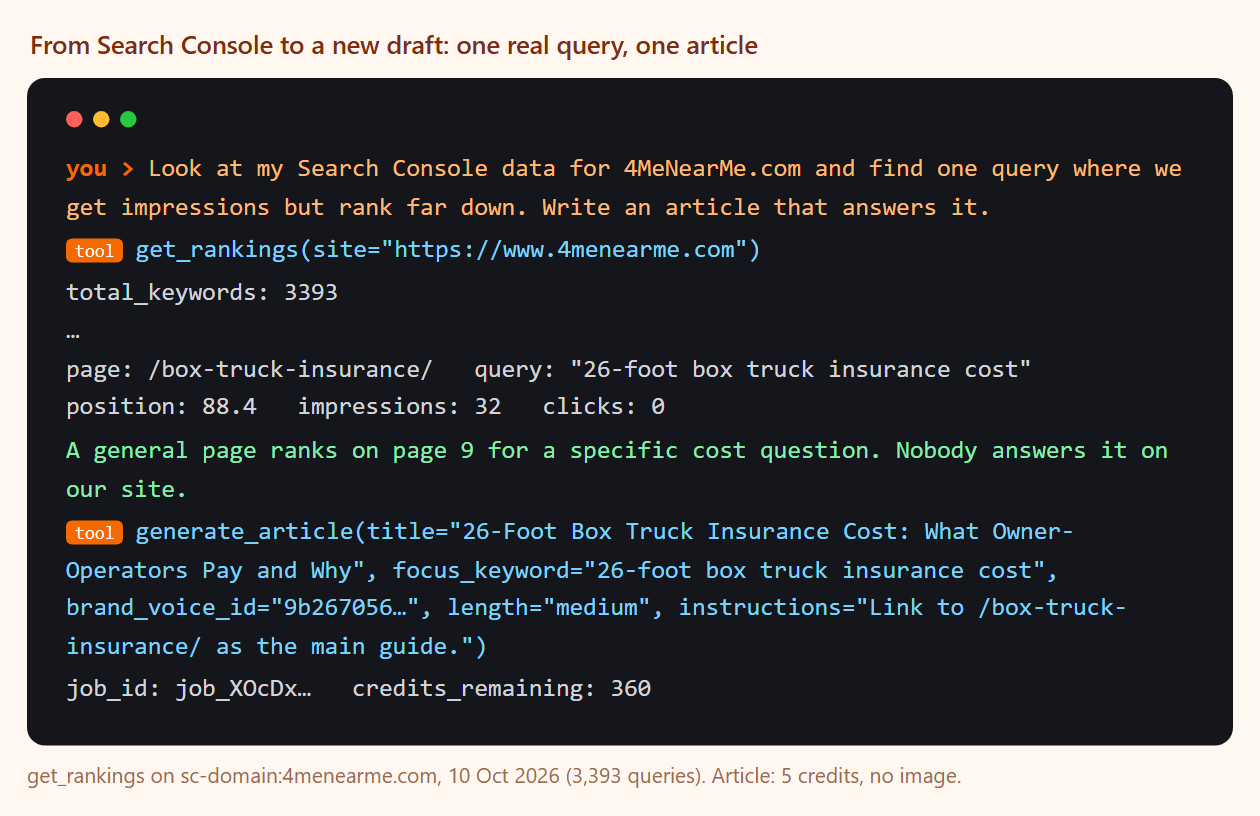
- Request: "Look at my Search Console data for 4MeNearMe.com and find one query where we get impressions but rank far down. Write an article that answers it."
get_rankingsreturned the queries. The agent picked "26-foot box truck insurance cost".generate_articlewrote "26-Foot Box Truck Insurance Cost: What Owner-Operators Pay and Why" in the site's brand voice: 1,151 words, a table of the four policies involved and an FAQ. 5 credits.publish_articlesaved it as a WordPress draft.
We will only know whether it ranks in 6 to 12 weeks. The point of this step is that the topic came from evidence, not from a brainstorm.
How do I check whether it worked?
Come back after a month and ask the agent: "For the articles we wrote from Search Console, show their current position and clicks, and which ones got visits from AI assistants." It reads get_rankings and get_report (ai_impact). If a page ranks but gets no clicks, refresh it with refine_article and push the new text to the same post with update_live_post.
Google rank and AI visits often disagree. On our site, four of the five pages with the most Google impressions got no visits from ChatGPT. The LLM SEO guide has the full comparison, and GEO vs SEO explains why the two disagree.
Can I run this every week?
Yes. Give your agent the three patterns as a standing instruction, or put the loop on a schedule. The Claude for marketing routine runs this check once a month. The SEO automation guide covers what to automate and the checks we keep human. If you use Claude, how to use Claude for SEO has the prompts we reuse.
Try it in 5 minutes
- Create a free account and connect Search Console and your WordPress site in the dashboard.
- Get an agent key at app.talkgen.ai/connect-agent and add it to Claude or Cursor.
- Ask:
Read my Search Console data. Give me one example each of: a page-2 query,
a specific question where a general page ranks below 50, and a query with many
impressions but few clicks. Suggest the fix for each. Do not write anything yet.
Last updated: 2026-10-10